Gablekin guide
Switching HOA software, starting from the spreadsheets you have
How a community moves to Gablekin from spreadsheets, email or older HOA software: homes, owners, balances and documents imported and checked.
The challenge
- Independent boards: the records live in a volunteer's spreadsheets and inbox, and switching feels like a project nobody has time for.
- HOA management companies: every new community arrives with its own files, in its own format.
- Association leaders: worry about losing balances or history in the move.
- Residents: don't want to learn another clunky portal.
The old way, and the Gablekin way
| The step | The old way | With Gablekin |
|---|---|---|
| Homes and owners | Retype them into a new system | Import your Excel or CSV file; the columns are matched for you |
| Mistakes | Found after go-live | Every row checked before anything is saved; fix them in place |
| Balances | Re-entered home by home | One import, matched to your total to the cent |
| Documents | Emailed around as attachments | Uploaded at once, ready for Porch to answer from |
| Inviting everyone | A mail merge | Invitations by email, with who has joined |
How Gablekin helps
- We set it up together. Book a demo and we create your community with you. Signing up online on your own is coming soon.
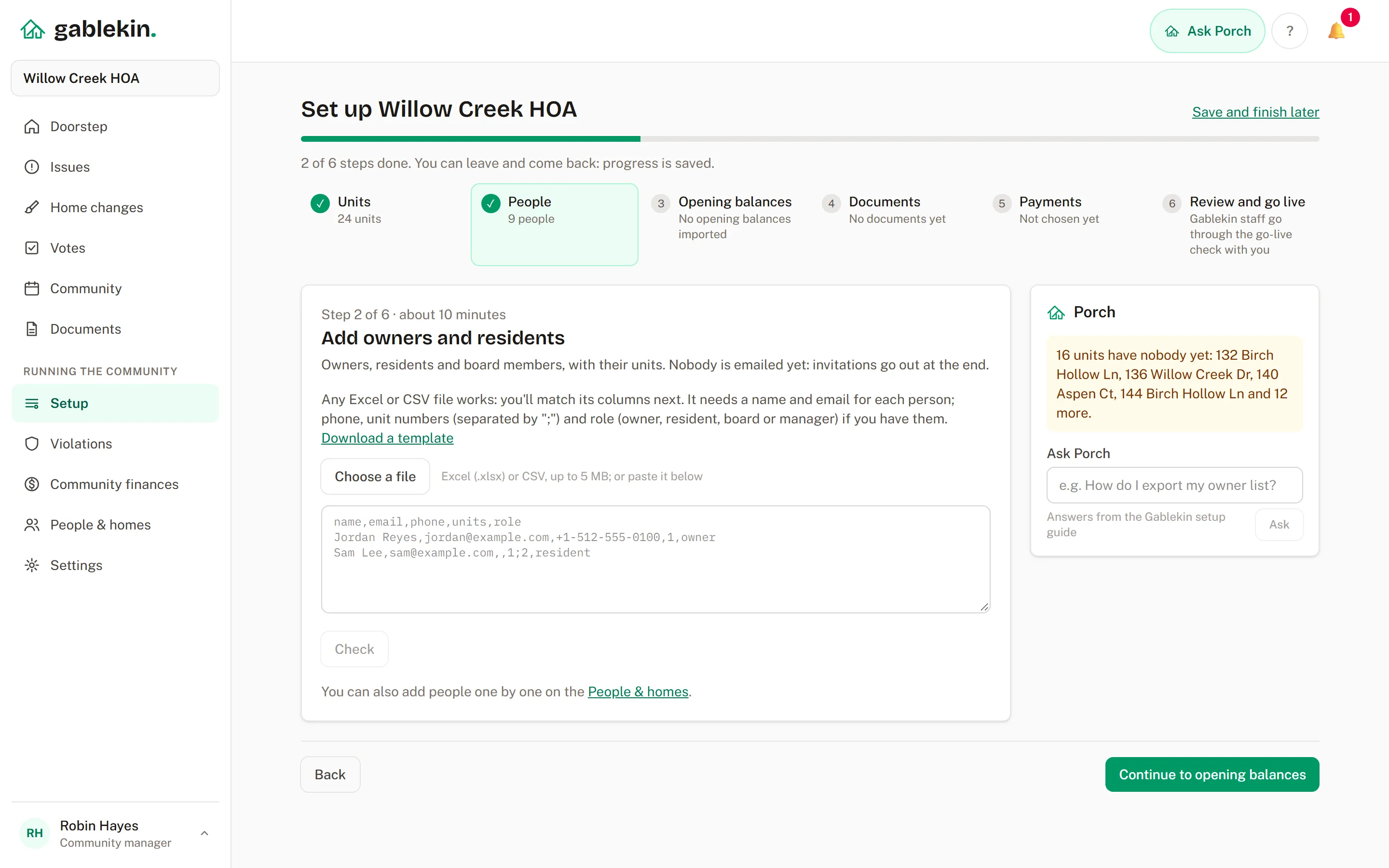
- Bring the files you have. Excel or CSV, the sheet you choose, title rows skipped. Gablekin matches your columns to its fields and remembers the mapping; you confirm each one.
- Nothing saved with errors. Every row is checked first: duplicate emails, unknown homes, bad roles. Fix rows in place and import again: it updates instead of duplicating.
- Opening balances that add up. Import what each home owes on day one; with a total entered, the import has to match it to the cent.
- Porch beside every step. It answers setup questions and points out likely problems, such as homes with nobody yet, with a link to fix them. It never changes your data.
- A go-live check. Every home has an owner, balances match, documents are ready and payments are set. We go through it with you, then everyone is invited by email.
- Nothing to install. Residents sign in from any phone or computer.
Key takeaways
- Independent boards: move from spreadsheets without retyping them.
- HOA management companies: the same setup for every community, whatever its files look like.
- Association leaders: balances that match on day one, and a check before anyone is invited.
- Residents: one invitation, and a simple place to start.
Next steps
See pricing, or book a demo to plan your move.