Gablekin guide
HOA dues collection software: how to collect dues online with Gablekin
How Gablekin's HOA dues collection software works: bill every home monthly, take bank, card or autopay, record checks, and see who's behind.
The challenge
- Independent boards: the treasurer collects dues on their own time, from a mailbox of checks and one personal spreadsheet.
- HOA management companies: the same billing, reminders and follow-up, repeated for every community.
- Association leaders: accountable for the money, without a clear view of what came in and who's behind.
- Residents: want to pay the way they pay everything else, and get a receipt.
How Gablekin helps
- Paid into your association's own account. Owners pay into the association's own Stripe account. Gablekin never holds the money, or sees a card or bank number.
- Every way to pay. Bank account, card, monthly autopay, or check. The processing fee is shown before paying, and your association decides who pays it.
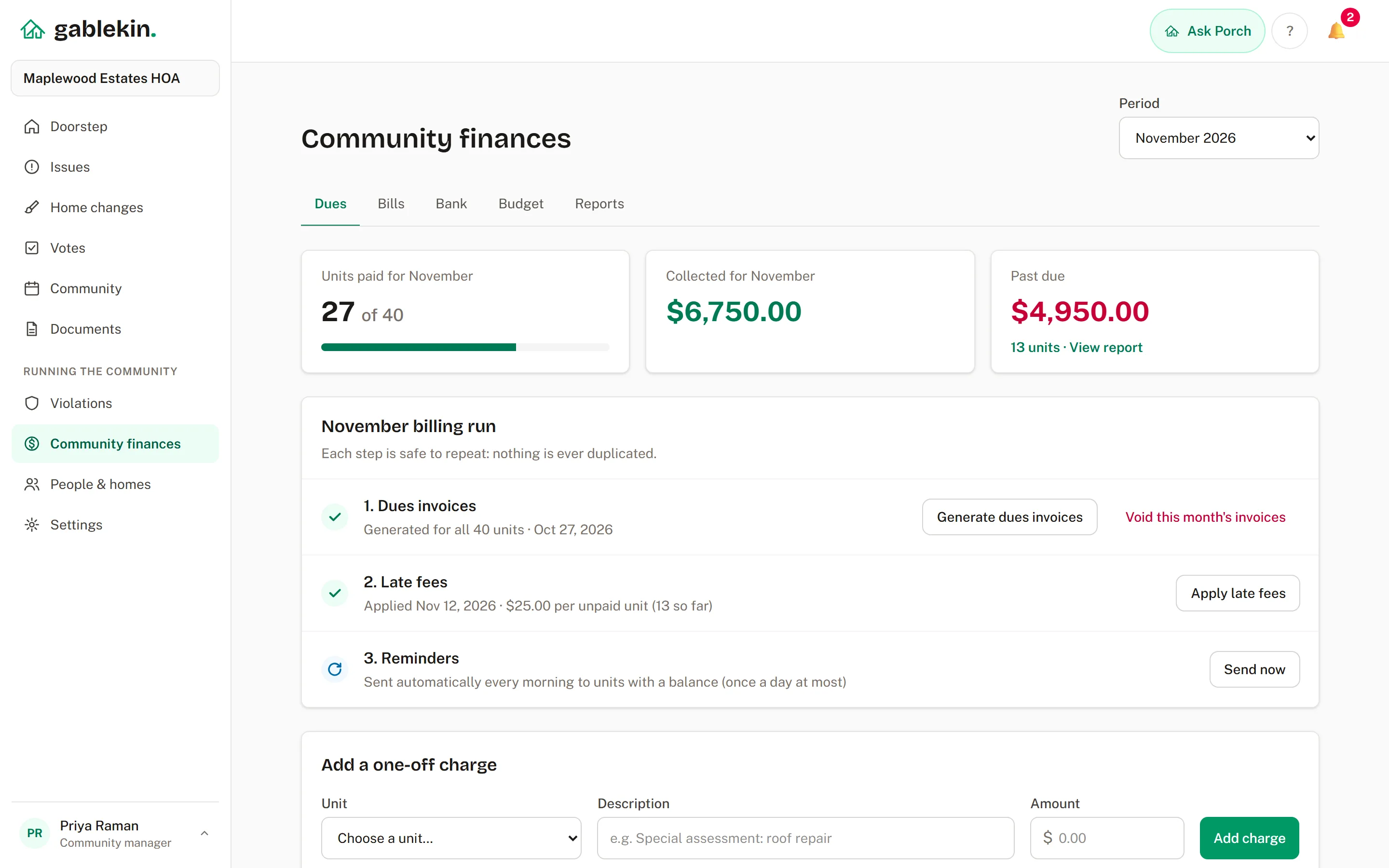
- One billing run a month. Generate the month's invoices, apply late fees and send reminders, each step safe to repeat. Gablekin holds a run that looks very different from last month's before anything goes out.
- Checks still work. Record a check in a minute: it pays the home's oldest invoices first, and the owner gets a receipt.
- Reminders and follow-up. Reminders go out automatically, and the delinquency report shows who's behind, by how much and for how long.
- Ask Porch. Owners say "Pay my dues" and confirm the payment link; managers ask "Who's behind on dues?".
Key takeaways
- Independent boards: a few minutes a month, and the records stay in Gablekin when the treasurer changes.
- HOA management companies: the same routine in every community, with one login.
- Association leaders: the money goes to the association, and you can see where things stand.
- Residents: pay your way, with a receipt every time, and no late fee while a bank payment is clearing.
Next steps
See pricing, or book a demo to see dues collection with your own numbers.