Local deals for residents. Income for the community.
Businesses near you can offer your residents a deal, often a coupon. Gablekin checks each business first, your board approves every offer, and your community gets half of what the business pays for each month it runs. Offers are off until your board turns them on.
From a local business to a deal on a resident’s Doorstep
- 1
Your community turns offers on
The manager, a board member or the treasurer turns sponsor offers on in Settings. They’re off until someone does, and turning them off stops every running offer.
- 2
Gablekin checks every business
Licence and insurance for trades, the website, and the ad’s words, image and coupon. Some categories are never accepted: payday loans, crypto, gambling, political ads and more.
- 3
Your board decides
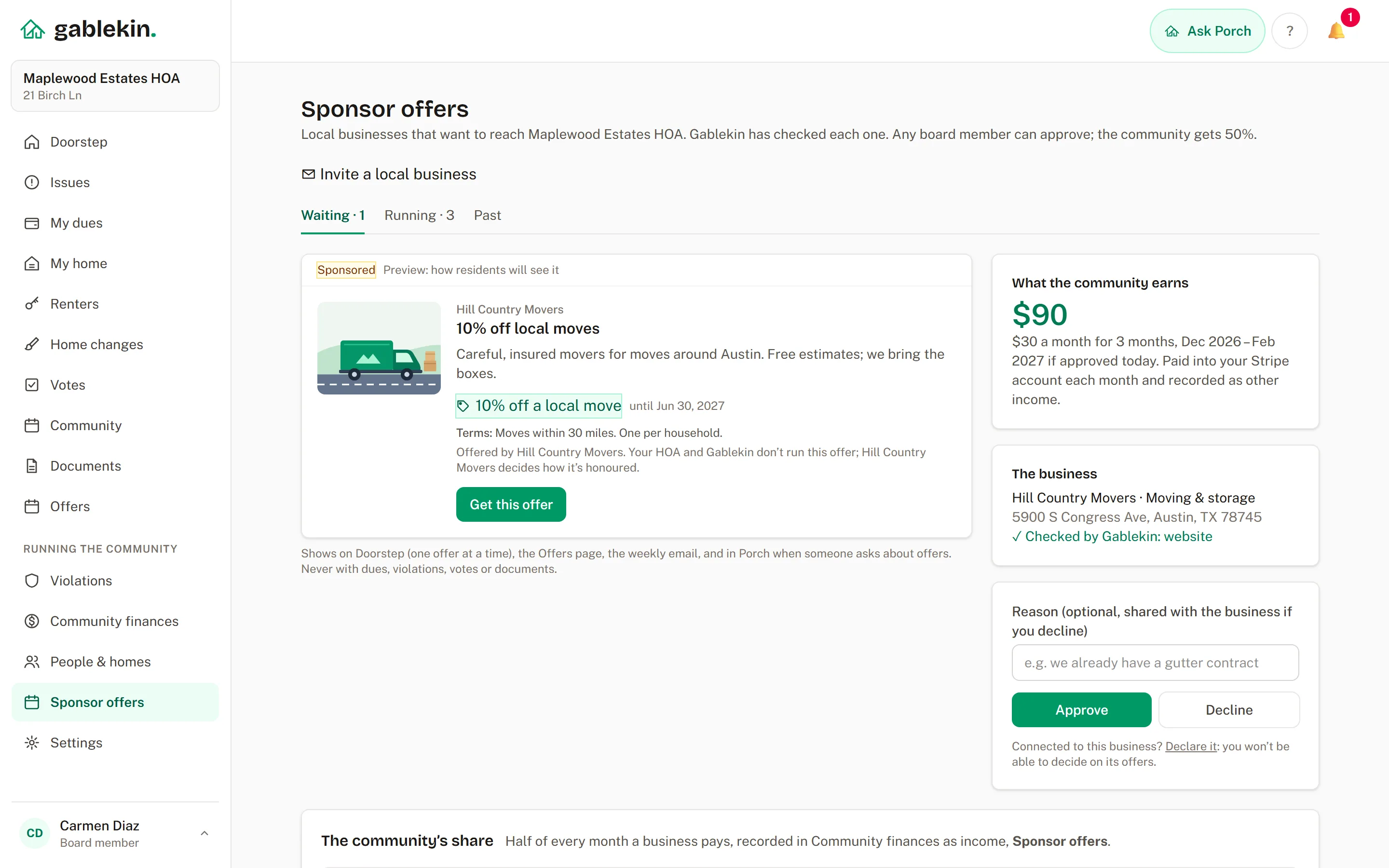
The board sees each offer as residents will, with the coupon’s terms and what the community earns. Any board member approves, declines or stops it; a member connected to a business declares it and steps aside.
- 4
Residents get a code
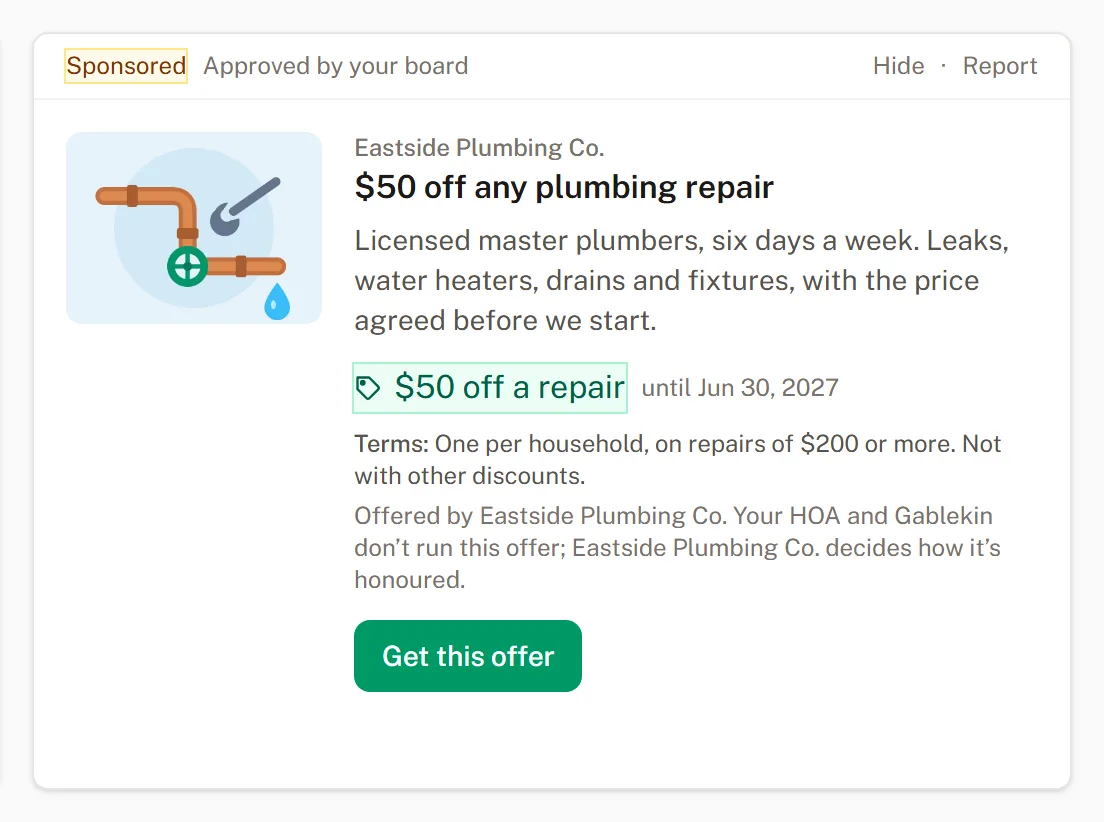
One offer at a time on Doorstep and all of them on Offers, labelled Sponsored, with the terms before Get this offer. Each household gets its own code, and a reminder before it expires.
See community offers in Gablekin
What’s included
- Half of every month a business pays, paid into your community’s account and booked as income
- A warning when offer income passes 30% of the year’s income, to take to your accountant
- One business per category in your community at a time
- Never on dues, violations, votes, documents or home changes
- Residents stay anonymous unless they ask a business to contact them
- Residents can hide an offer, or report it to Gablekin
- Invite a business you’d like to see, with your community already chosen
- Every approval, stop and payout in the activity log
Porch, only when asked
Ask Porch “Any deals right now?” and it lists your community’s running offers, labelled Sponsored, with each coupon’s terms. It never brings offers up on its own.
- Lists the offers your board approved, with their terms
- Gets a household’s coupon, with their OK
- Says who stands behind each offer: the business, not your HOA
Community offers: common questions
How much does the community earn?
Half of what each business pays for your community, for every month its offer runs. It’s paid in the first days of the next month into your community’s Stripe account and recorded as income.
Who decides which offers residents see?
Your board. Gablekin checks each business and its ad first; then any board member or the treasurer approves, declines or stops each offer. The manager sees them and can invite businesses.
Will residents see ads everywhere?
No. One offer at a time on Doorstep, the Offers page, one block at the end of the weekly email that residents can turn off, and Porch when asked. Never on dues, violations, votes, documents or home changes.
Do businesses get residents’ details?
No. A business sees a code. A resident can ask a business to contact them, and only then does that business get the name and the phone or email the resident picks.
Does offer income affect our taxes?
It can: income other than dues may be taxed differently. Gablekin shows the year’s offer income against the dues and warns you once it passes 30%. Ask your accountant; this isn’t tax advice.
Running the rest of the association
Violations
Log a violation with photos, send notices that cite your rules, add fines to the home's ledger and let owners reply. A person starts every step.
HOA violation management softwareArchitectural review
Owners send exterior change requests with plans and photos; the committee comments, votes and sends a decision letter. Approvals stay on the home's record.
HOA architectural review softwareBoard finances
Bills with approval, bank reconciliation, budget against actual and a monthly report published to owners: cash-basis finances for self-managed boards.
HOA financial management softwareMy home
My home: a private record of each home's appliances, repairs and documents, with maintenance reminders, warranty alerts and checks from typical lifespans.
Home maintenance records for HOA homeownersRentals
Know who lives in rented homes: owners register renters, renters get the rules and notices, and the manager and board see each rental and its contacts.
HOA rental and tenant registration softwareEvery feature
Dues and payments, maintenance, documents, announcements and votes, with Porch.
See all featuresBring your community
a little closer.
See what a calmer day looks like. Let’s walk through it together.