Reach the neighborhoods near you, with their board’s blessing.
Local businesses offer the communities on Gablekin a deal: a short ad, often with a coupon. Gablekin checks every business first, each community’s board approves your offer, and residents see it labelled Sponsored. Half of what you pay goes to the community.
From sign-up to a code at your counter
- 1
Sign up and get checked
Your business’s name, address, website and category; trades add their licence and insurance certificate. Gablekin checks the business and every ad before any board sees it.
- 2
Write your offer, choose communities
A headline, a short text, an image and a link, with a coupon and its terms if you like. Choose communities near you: each shows its homes and its monthly price, for 1, 3, 6 or 12 months.
- 3
Each board decides
Each community’s board sees your offer as residents will, and approves or declines it. Nothing is spent until a board approves; the offer starts on the 1st after.
- 4
Residents get a code, you redeem it
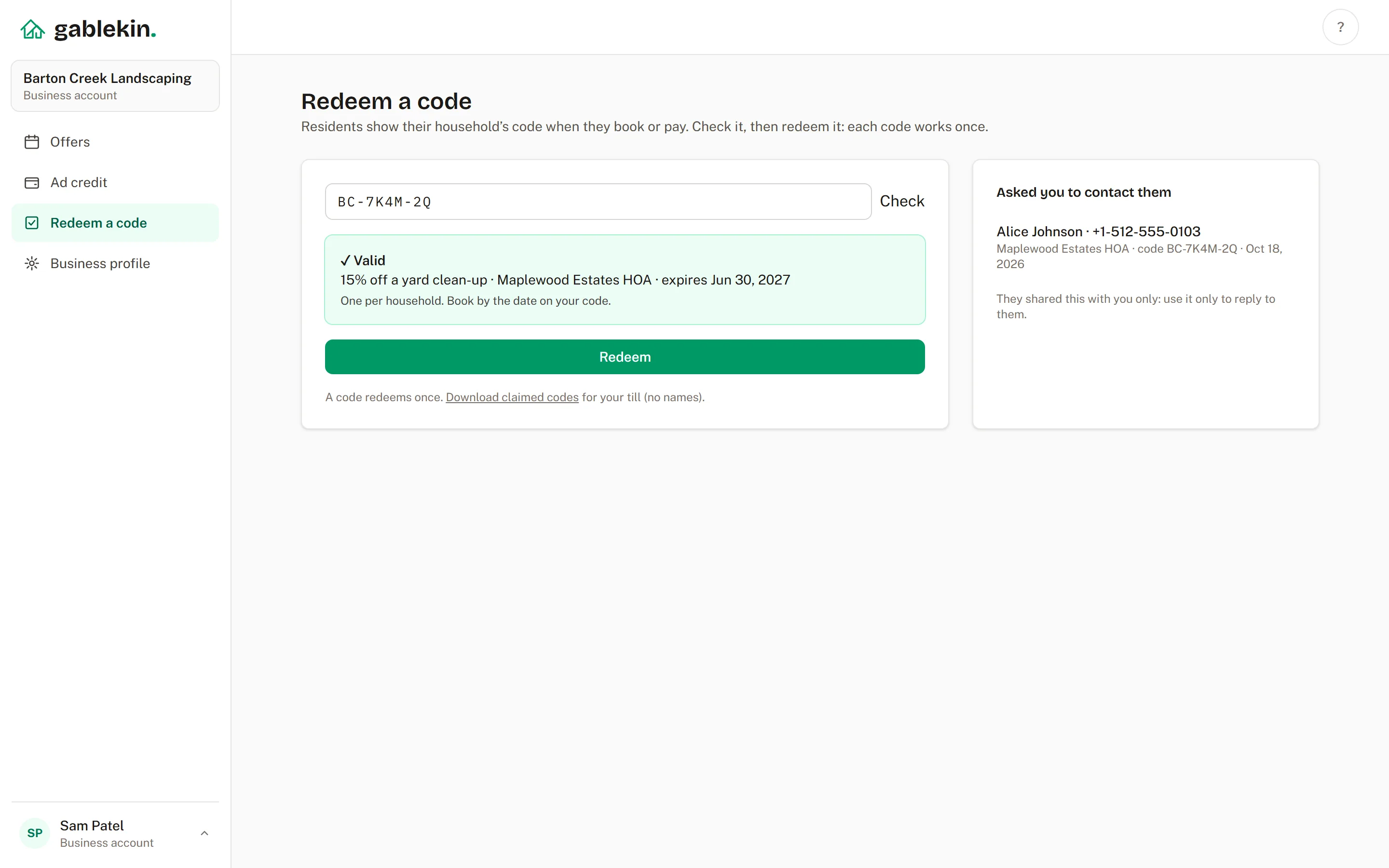
A household presses Get this offer and gets its own code. Enter it at your counter or door to see whether it’s valid, already used or expired; Redeem marks it used, once.
See it as a business
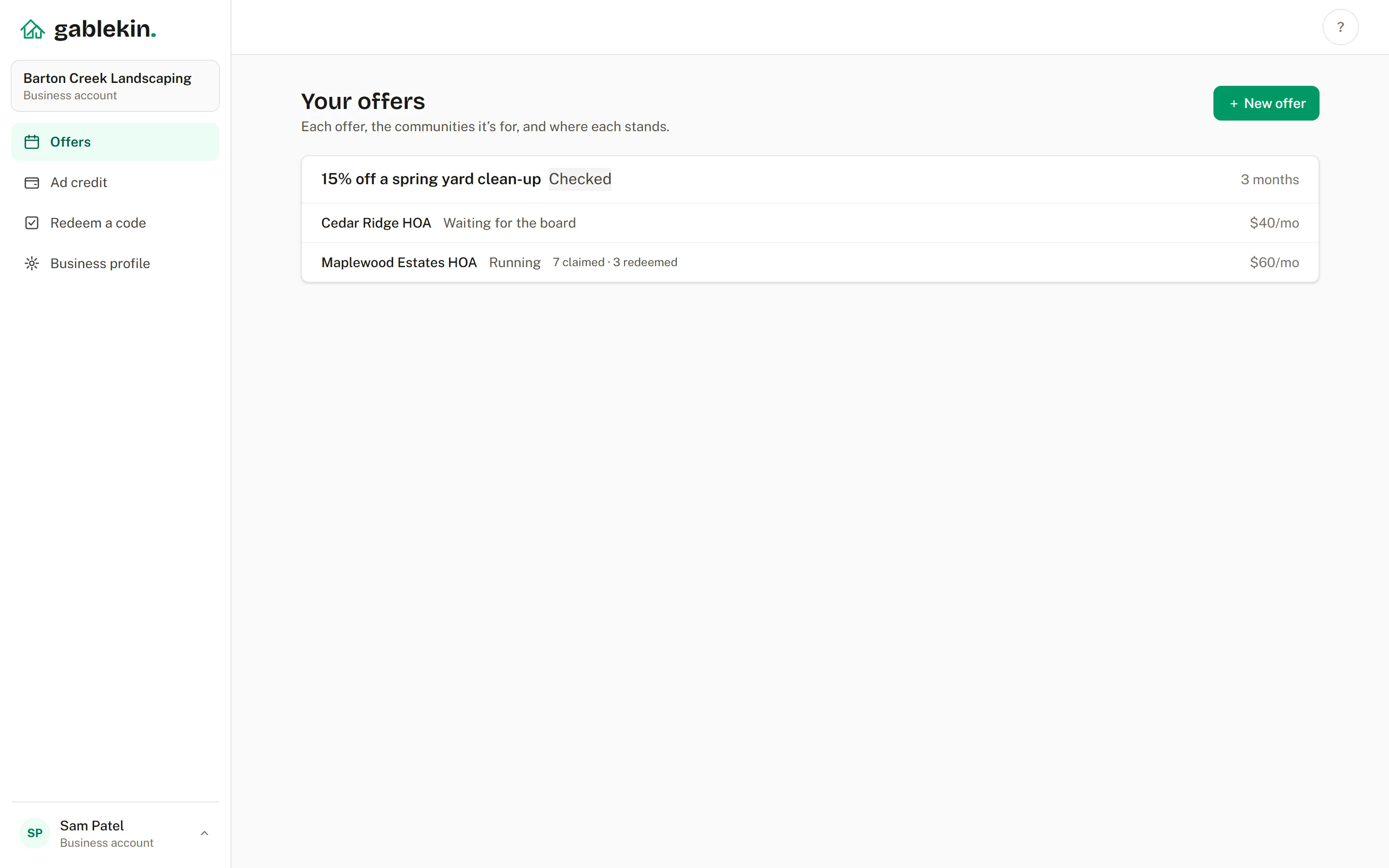
What’s included
- A flat price per community per month, by its number of homes, shown before you choose
- Ad credit with automatic top-up; nothing is spent until a board approves
- Months a board stops early go back to your credit
- A receipt for every charge and a monthly statement
- Your category to yourself: one business per category in a community at a time
- Residents who want to can ask you to contact them
- Your colleagues on the same business account
Porch mentions you when residents ask
When a resident asks Porch about deals or coupons, Porch lists the community’s running offers, labelled Sponsored, with each coupon’s terms, and can get them your coupon with their OK. It never brings offers up on its own.
- “Any deals right now?”, answered with the offers the board approved
- Your coupon’s terms, word for word
- Get this offer, with the resident’s OK
Advertise: common questions
How much does it cost?
A flat price per community per month, by its number of homes, shown before you choose: today from $40 a month for up to 25 homes to $200 for more than 500. The term is 1, 3, 6 or 12 months.
When am I charged?
You load ad credit when you send your offer. Nothing is spent until a board approves; on the 1st of each month, that month’s price for each community where your offer runs comes out of the credit.
What can’t be advertised?
Payday loans, debt relief, crypto, gambling, political and issue ads, guns, adult content and health claims. Gablekin checks every ad’s words, image and coupon before any board sees it.
Do I see who claimed my coupon?
No, you see the code. A resident can ask you to contact them, and then you get the name and the phone or email they choose.
Can I try it first?
Yes. In the demo at try.gablekin.com, choose A local business to see a landscaping company’s offers, codes and ad credit, all made up.