Gablekin guide
The HOA board's monthly report, without the spreadsheet
How Gablekin builds the board's monthly financial report from its own books: bills, the bank and the budget, with a summary, published to owners.
The challenge
- Independent boards: the treasurer rebuilds the same spreadsheet every month, from bank statements and receipts.
- HOA management companies: a report per community, assembled by hand before every board meeting.
- Association leaders: want to know how the association is doing against budget, without waiting a month.
- Residents: rarely see where their dues go.
The old way, and the Gablekin way
| The job | The old way | With Gablekin |
|---|---|---|
| Enter a bill | Retype the invoice | Porch reads the invoice and fills in the bill (Porch Plus) |
| Approve and pay | Emails asking "can I pay this?" | Approve in Gablekin, then mark it paid from operating or reserve |
| Reconcile the bank | Tick lines off a printout | Import the statement; each line comes with a suggested match |
| Budget against actual | A second spreadsheet | Built in, by category, through the year |
| The report | Export, format, write it up, email a PDF | The report from the books; publish it to owners |
How Gablekin helps
- Bills in one place. Record each bill with its vendor, category and invoice, approve it, and mark it paid from the operating or reserve account. Vendors are remembered, with a 1099 flag.
- The bank, reconciled. Import each account's statement as a CSV. Gablekin suggests a match for every line, owner payments, bills and transfers, and an account reconciles only when it balances.
- Budget against actual. Set the year's budget by category and see the year to date against it, any day.
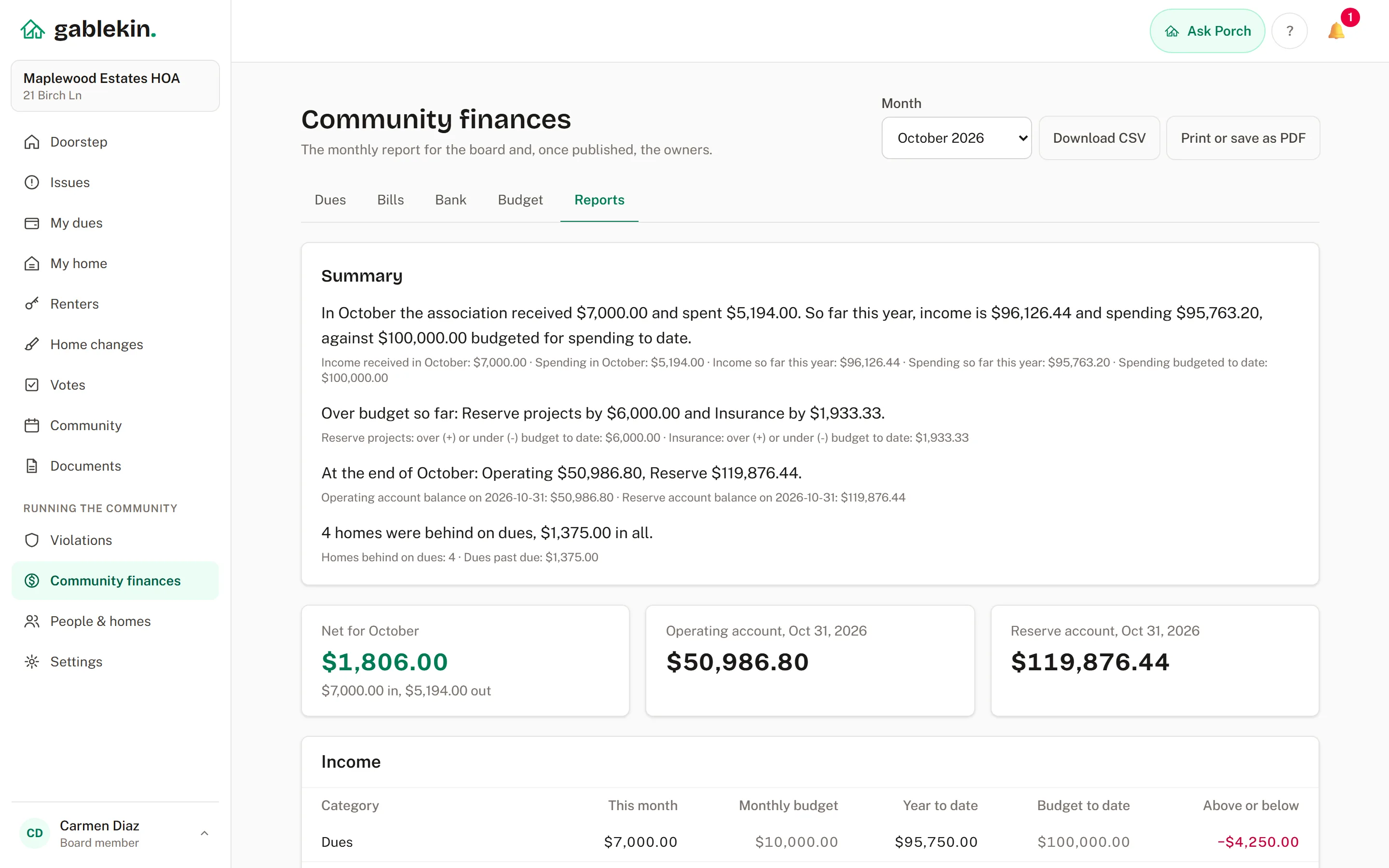
- The monthly report, ready. The month and year to date against budget, the accounts, dues past due and unusual expenses, as a CSV or printed. With Porch Plus, Porch drafts the summary from the report's own figures, and only those, for you to check.
- Amenities, for the board. Where the community has amenities, the report shows the bookings by amenity and month, the fees, and the deposits returned, kept and still held. It stays with the board: the report published to owners doesn't have it.
- Published to owners. Publish the report and owners are notified. They see it without vendors' names.
- Ask Porch. Board members ask "How did we do against budget?" and get the answer from your books.
Key takeaways
- Independent boards: the report the treasurer used to build by hand, ready from the books.
- HOA management companies: the same report for every community, before every board meeting.
- Association leaders: where you stand against budget, any day of the month.
- Residents: a clear monthly report, published to every owner.
Next steps
See board finances in Gablekin, or book a demo.